VibeY
Quick Navigation
Activities
VibeY is a device that provides real-time audio-visual and vibrotactile feedback. It responds to sound pitch and intensity by producing gentle light signals of different colors and mild to moderate vibrations. The intensity of vibration and light depend on the intensity of the sound, and colors change according to the pitch of the sound.
VibeY is suitable for working on the development of:
- attention,
- concentration,
- visual perception,
- sensory integration,
- thinking,
- social skills,
- proper breathing rhythm,
- perceiving sound information through alternative sensory channels.
Technical Instructions: After turning on the device, open the app and enter the VibeY device section when its symbol/photo lights up green.
Device Adjustment (if necessary): If there is too much noise in the room, VibeY may react to it. In this case, adjust the device's sound reaction threshold through the app by moving the SOUND LEVEL slider so that the environment does not activate the device's light and vibration. In the same way, using the appropriate sliders, we can adjust the sensitivity and delay of the device's reaction to sound. These controls are located at the bottom of the app screen.
GAME SUGGESTIONS:
To start the game, activate the light with simple prolonged vocalization such as "AAA" or "EEE". It is necessary for the child to notice the connection between voice and light display on the device. Then encourage the child to try the same thing by speaking or making a sound. You can also repeat this with the tactile response to sound, by having the child place their hands on the device and feel the vibration as a reaction to the voice.
Note: For children with sensory processing disorder, it is necessary to adjust the intensity of light and vibration before using the VibeY device. Pay special attention to children with visual hypersensitivity! If the child becomes overwhelmed by stimuli, turn off the lights/vibration, stay with the child and wait for them to calm down. This activates the child's self-regulation. After that, continue with adjusted light and vibration intensity, or change the activity.
Color the Picture
Goal: Voice pitch control, visual perception, fine motor skills
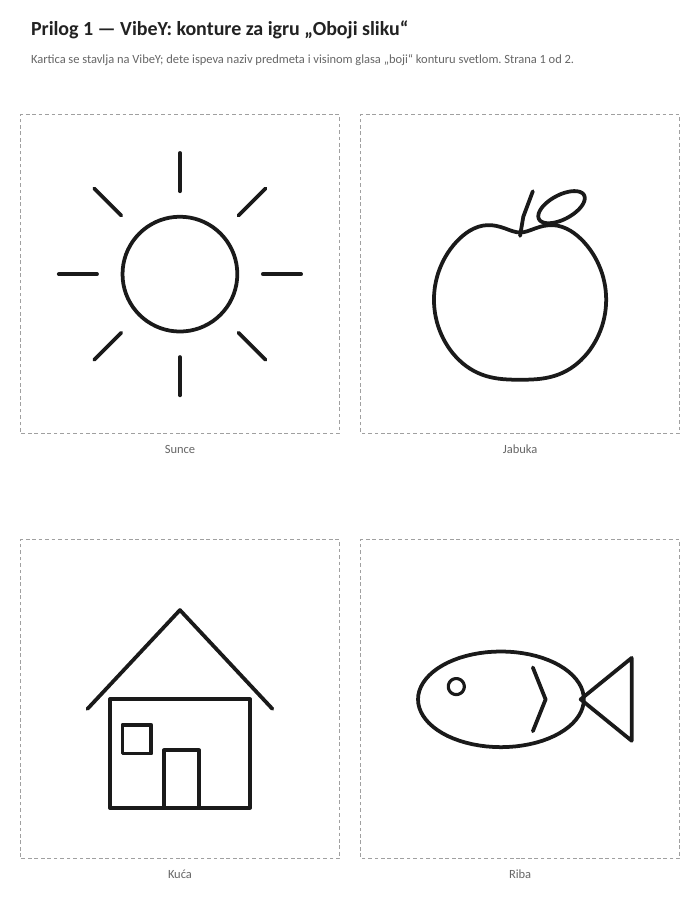
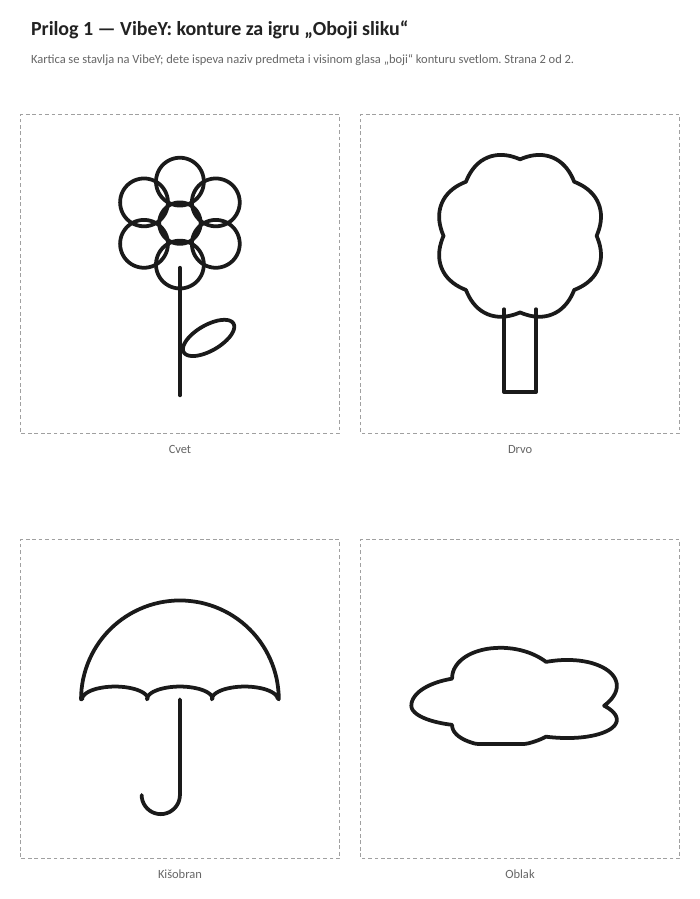
Description: When the child notices the connection between the pitch of their voice and the colors displayed on the device, you can offer them several picture outlines (Appendix 1). The child chooses an outline and the therapist places it on VibeY. They should name and "color" the object in the picture by singing the given word so that the pitch of their voice triggers the appropriate light color.
Additionally, the therapist can draw outlines of the same object on white paper and offer the child to color them with the color that appeared on the display.
I Call You
Goal: Understanding commands, onomatopoeia
Description: Prepare various animal figures whose sounds you want the child to imitate. Suggest to the child that they choose a certain animal (e.g., a cow), which the therapist then places on the box, and encourage them to make sounds corresponding to the figure, with different voice pitches to activate different light colors. A more complex requirement is to follow this with practicing nouns or verbs derived from onomatopoeia: Mooo. You hear mooing. The cow moos.
Variation: With the same goal, you can combine VibeY with SpaceY speakers. Play the child the sound, determine if they identified it, and encourage them to name what they heard. Then offer them to find the figure that corresponds to the sound. The therapist places the figure on VibeY, and the child imitates it with onomatopoeia.
Adjustment: You can organize the game with other obvious means or visual material (various cards with pictures).
Tell Me a Story
Goal: Developing attention and morphosyntactic categories.
Note: The game is intended for children with sufficiently developed speech and language that they can fluently continue to maintain lights with minimal pauses.
Description: The therapist begins a story using simple sentences, and the child continues by adding their own words/sentences. For example, "It's raining outside and we need...". The narration should continue and flow fluently, so that the light shining and vibration are continuous while the sentence is expressed or the thought is conveyed to completion. In this game, you start with simple sentences, and then, depending on the child's abilities, use more complex ones.
Variation: You can play word associations - the therapist gives a concept, for example "sea", and the child should list everything they associate with the given concept, so that the light shining and vibration are continuous.
Follow the Vibration
Goal: Motor control, sensory perception, attention
Note: Before playing this game, the therapist selects only the vibration option of the device using the app, and uses the "Delay" slider to set the vibration delay time relative to the voice.
Description: The child places both hands on the sides of the device, and the therapist activates the vibration with different voice intensities. The child is given the instruction to raise a hand when they notice vibration, and lower it when it stops.
Variation: If the child masters the concepts and has developed lateralization, specify which hand to raise: when vibration appears, raise your left hand; or a more complex movement, touch your left ear with your left hand...
Guess and Do
Goal: Recognition of symbolic representation and execution of motor commands
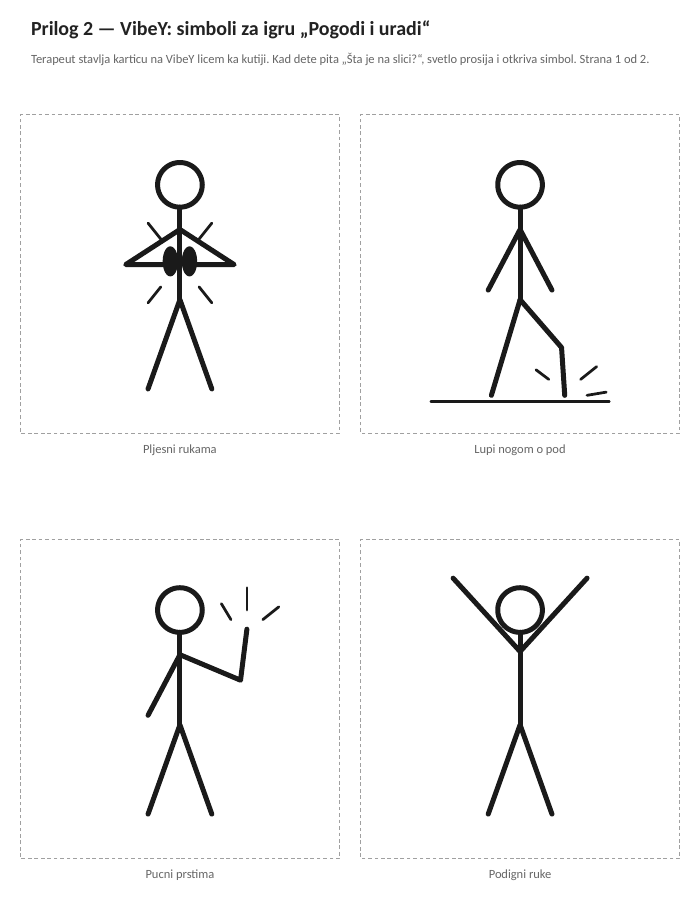
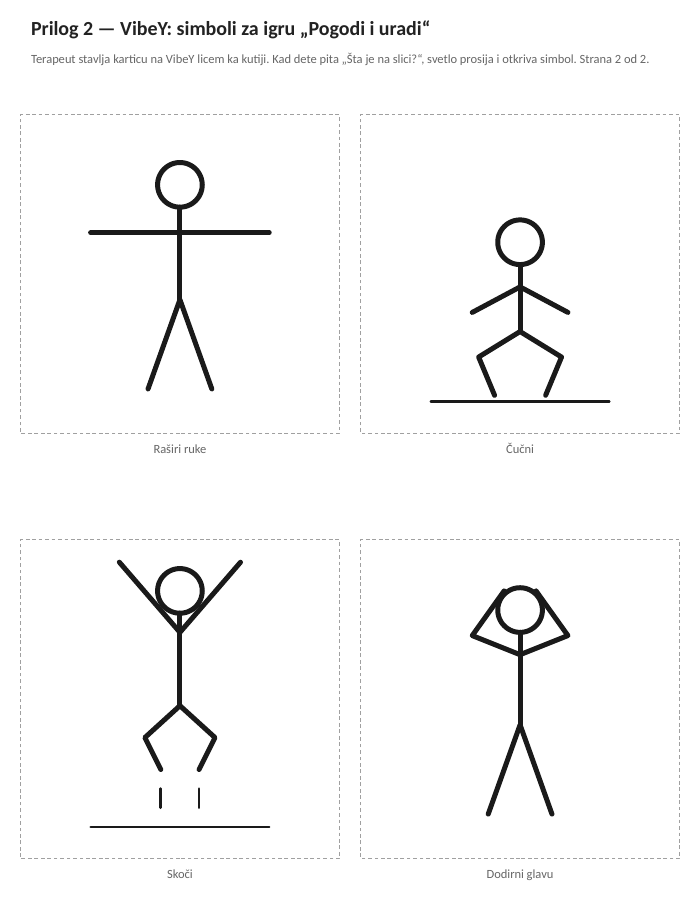
Description: With the child, analyze the symbols shown in the pictures (Appendix 2) which represent a certain motor command (snapping fingers, clapping hands, striking foot on the ground...). Then the child chooses one picture at a time, and the therapist places it on VibeY facing the box, so the child cannot see the symbol. When they loudly ask "What's in the picture?" the light shines through the paper and the child recognizes the image. The task is for the child to verbalize and execute the action they previously recognized in the picture.
Appendices
Print the appendices on ordinary paper (80 g/m²) so that the light of the device shines through. The cards measure 90 × 90 mm. All appendices of the manual can be downloaded as a PDF for printing. The labels on the appendix pages are in Serbian.
Appendix 1
Outlines for the game "Color the Picture".
Appendix 2
Symbols for the game "Guess and Do". The therapist places the card on VibeY facing the box, so the child sees the symbol through the paper, mirrored. That is why the cards carry no text.