Purpose and installation
Purpose
The "VoiceToys" mobile application is intended for controlling, storing parameters and updating the devices.
Installation
If you use an Android device, you can download the application from the Google Play Store or by scanning the QR code on the box in which you received the device.
If you use an iPhone or iPad, you can download the application from the App Store.
The application requires permission to use Bluetooth and, on Android devices, location. During installation, you will receive notifications on which you need to grant access to the requested phone functions. After granting permission, the application is installed in the usual way and can be found among the other applications on your device, under the name VoiceToys and with our logo.
During use, Bluetooth communication and notifications, and on Android devices also location, must be turned on on your phone.
Home screen
After launching the application, the search for devices available for connection begins. Once the search is complete, the images of present, that is, turned-on devices that you can access will be highlighted with a green frame. By pressing the image of the desired device, you connect to it and move to the screen for controlling it. By pressing the VoiceToys logo you arrive at our website, where you can find support contacts and all the necessary information. After the device search is complete, you can repeat the process by pressing the symbol showing a magnifying glass.
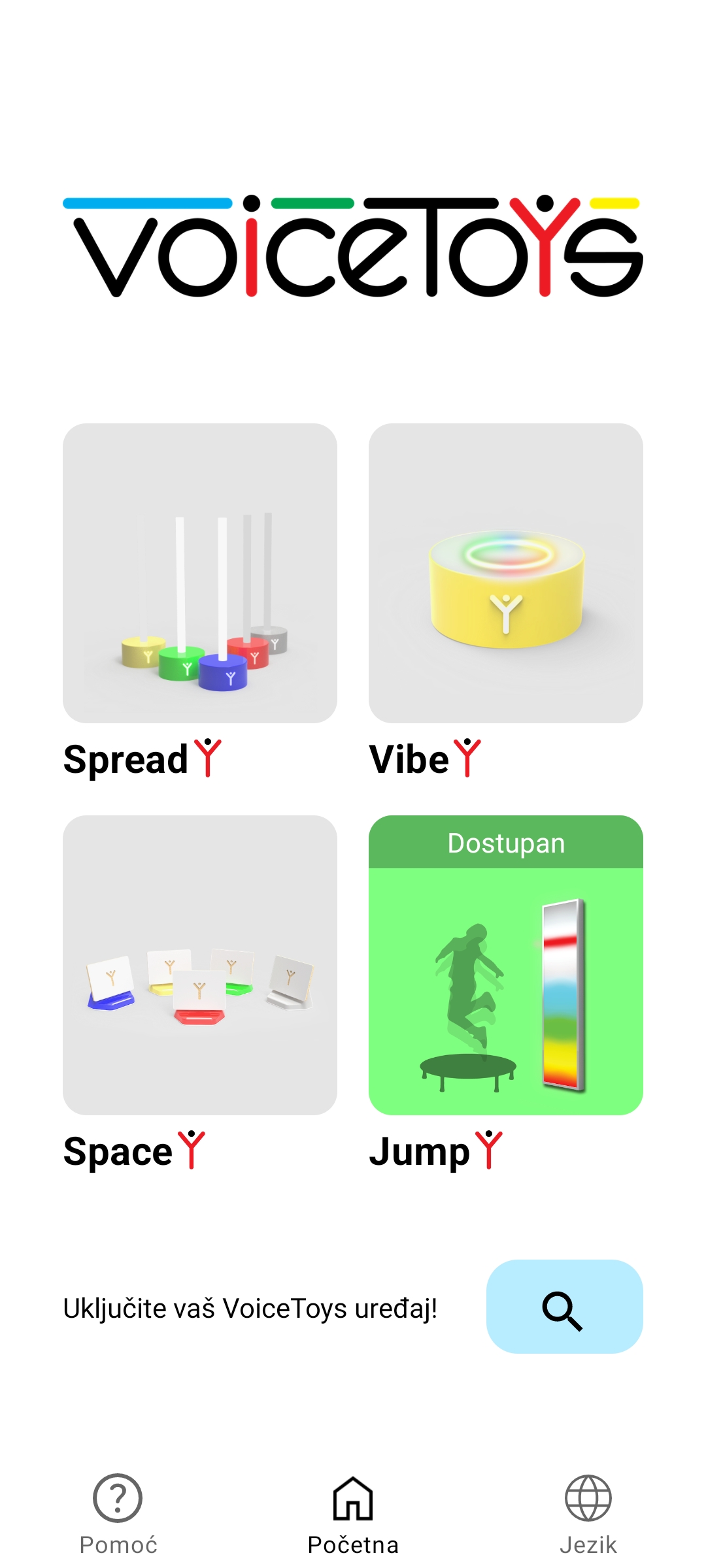
Home screen of the mobile application. The JumpY device ready for connection.